Ever since we first created the FAIR Project, it was designed to be a project following the best practices for open source projects. We’ve had the privilege of working with the Linux Foundation to help set it up.
One of the core principles of how we designed the project was to separate the “business” side from the “technical” side. We structured the project intentionally with a board separated from the implementation, providing a way for commercial organisations to be involved with and contribute to the project.
This follows the best practices for large open source projects, but in a way, was us “speedrunning” starting up a large project from scratch. We intentionally created some of these structures ahead of needing them.
As Joost and Karim have posted about today, the commercial participation necessary for the full board didn’t materialise. While we had a lot of interest and even commitment, companies were unwilling to be first movers – this isn’t surprising, given that many of us as individuals have been targeted and suffered, and those same pressures can be brought to bear on companies. This culture of fear is something that won’t be surprising to anyone in the WordPress community.
We planned and designed for this. The structure of our project means the technical project is separated from the commercial side, and the nature of FAIR being decentralised means we don’t actually need a huge amount of investment to run.
So, it’s time for us to slow down, stop speedrunning the process, and focus on what’s working well for us.
We’ve delivered the core of the FAIR technical solution already, with a robust decentralised design made of FAIR Connect, FAIR Forge, and AspireCloud.1 We have a clear path forward to expanding out this system, sustainably and openly.
We designed this system to be independent of WordPress too – and with plans in the Typo3 ecosystem already, we’ll be continuing to push forward on building out the future of package distribution. That doesn’t mean abandoning WordPress, it means approaching it from a different angle.
As we move forward, we’ll focus on building this technical solution out – and, when we’re ready, we’ve got a clear path to re-expanding the project’s structure to incorporate the commercial side again.
Onwards, then, to the next era of the FAIR project!
Plus, we’ve got excellent add-on projects like FAIR Explorer and FAIR Pulse, proving out the system design. [↩]
The events in the WordPress community since September have shown how fragile the ecosystem can be.
In A Stronger Foundation for the Ecosystem, I laid out my core ideas of how we could move forward with the WordPress Foundation to build a better community together. The key ideas were:
Pay for infrastructure through a diverse foundation backed by the community, not one person’s generosity, and back it with transparent leadership.
Have clear policies, and clear ways to evolve them.
Back it with an empowered foundation that can defend the project.
Despite best efforts to engage on these topics, it became clear that none of us in the community could wait for the project to change – we needed to start building the future ourselves. Without this, we’d continue to have the same dangers to the ecosystem, to ourselves as contributors, and to the open web – with no guarantees that the situation won’t change again next week.
This is not just my opinion, it’s the opinion of over 20 senior contributors to the WordPress project. And I would know: I was one of the signatories to that letter.
Until we fix this problem, WordPress remains vulnerable. Accordingly, we’re taking action.
Today, we’re launching the FAIR Project under the Linux Foundation.
The FAIR Project is designed to replace the centralised point-of-failure of WP sites with a fully decentralised system. It simultaneously fixes the problem with a single repository, and stitches together the fractured universe of the plugin ecosystem that exists today.
As part of the Linux Foundation, we have transparent leadership, with a charter for the project that lays out the governance structure clearly. We have enforced maximums on the number of members from any one company, a clear code of conduct that applies to all members, and a commitment to open contribution from all. Any changes to policies go through votes by the TSC, and require a majority vote to change.
We also have elected co-chairs for the steering committee (TSC), and I’m delighted to say that I was elected as one of the initial co-chairs by the group of over 50 contributors who worked on forming this project.
The Linux Foundation owns all trademarks associated with the project, as well as other properties like the domain, and has clear policies regarding its usage. They also have a clear history of acting neutrally but in the project’s interest, allowing flexibility for each project to set its usage requirements.
The project also separates “the business side” from “the technical side” – technical being basically everything within the project.1 The technical project has clear independence in its decisions, but remains accountable to the board, who drives financial funding for the project. By building these structures, it creates clear trust in the project, promoting an actual reason to contribute monetarily to the project.
On the technical side, the FAIR Project stitches together the scattered sources of plugins and themes out there today. And, on the organisational side, we’re doing the same – bringing together the contributors who built WordPress, projects like AspirePress, organisations like the WP Community Collective, and companies in the commercial ecosystem.
In other words, the FAIR Project implements everything I set out in my post, and truly creates a way to ensure the project’s existence into the future. It’s the first step to truly uniting the community to build the next 20 years of WordPress.
If you run a company in the ecosystem, we encourage you to support the project through the Linux Foundation. We’ve got a lot to do to push the project forward, and the more support we can get, the better. If you’re an individual, we encourage supporting the WP Community Collective, who we’re working closely with – or, just roll your sleeves up and start contributing!
WordPress has been a very successful project, but in the words of Matt, what got us here won’t get us there. It’s time for change, and we’re making it happen.
We deviated from the standard LF project charter to make it even clearer that non-code contributions count towards the TSC. [↩]
Every day, I open my computer in to Slack. The first thing I see, every day, is the WordPress Slack icon reporting a problem.
Every day, I click the icon and log in through WordPress.org, to be told that my Slack account is still disabled.
Although I can no longer access Slack, I am still contributing as best as I can. I’m still working on GitHub issues, Trac tickets, comments on the Make P2s, and through chatting directly with other contributors.
I am trying as best as I can not to let it affect my work. Contributing without using Slack is difficult – back-and-forth over an issue that could be a fluid dialogue becomes long paragraphs over days instead. Attending meetings is impossible – I am reduced to reading the notes – and helping others is much more difficult than it should be.1
But no matter what I do, it’s intensely demotivating to be reminded, every day, that I have been declared persona non grata.
I’ve still received no communication from anyone in the project as to why I can no longer access Slack or why I am blocked on Twitter.
I’ve spent more than 20 years – more than two-thirds of my life – contributing to WordPress. I have poured much of my life into this project, spent sleepless nights worrying about it, and dealt with the stress and burnout caused by the politics, personalities, and personal attacks.
Although I’ve been exiled by the project officially, I don’t feel like I’m “on the outside” because of the community. Many, many people have reached out, and I thank them for that.
Automattic’s response to the injunction this week says that they’re “continuing to protect the open source ecosystem”, but one thing is clear: WP Engine did not block me.
I like to think I can shrug all of this off, that I don’t really care that much, but I can’t. Because I do care. Because I believe – I still believe – that this thing matters.
I am trying the best that I can.
But, it’s hard to imagine wanting to continue to work on WordPress after this.
Edit: A few hours since publishing this, I have been blocked from WordPress.org, and hence from contributing on Trac as well.
I am lucky. My job does not depend on contributing. [↩]
In WP Engine Must Win, I wrote about my thoughts on the legal argument on this battle, and why it is important that WP Engine win the trademark case in order to protect the ecosystem. I also touched on the moral argument:
The case that companies should contribute certain amounts (for example, 5% of time or resources) is one that reasonable people can argue over and disagree about – and we see othercases of this across the open source community. Raising whether certain companies are meaningfully contributing is the sort of advocacy befitting the Foundation, whether you agree with the specifics or not.
However, we should not confuse this worthwhile advocacy with the stunning claims that Matt and Automattic are making, and the impact this would cause upon the industry and the project itself.
The confusion between these arguments has clouded much of this discussion, and I’ve had both public and private responses to my post which have expressed gratitude for helping to clarify these.1Richard Best’s excellent WP and Legal Stuff has also broken these arguments out, and I strongly encourage reading everything he has written on this topic.
Setting aside the legal argument, I want to address the broader points that Matt has made about the sustainability of the ecosystem, and about what companies should contribute.
I agree with Matt that for the strength of the ecosystem, we must defend the ideals of the project.
Protecting open source
Freedom Zero is the freedom to run the program for any purpose, and it is a foundational ideal of free software. The GPL license is clear that there is no obligation for users to contribute back to the software.
For a long time, this was enough. However, I have personally changed my view on these obligations over the years, and this latest case brings it further into focus.
It’s clear that we live in a world where open source and free software won. The challenges these licenses were created to face have been defeated. However, these licenses are ill-equipped to deal with the tragedy of the commons that is modern exploitation of open source.
Matt is right when he speaks about the ethos of open source being what makes it work, and we need to step up to reinforce this. There is a strong case to be made that bad actors are plundering the plentiful fields of open source and exploiting the spirit of the ecosystems, and if we do not act, the commons may crumble.
It’s also clear that we don’t have the right tools to deal with these problems right now. The WordPress trademark is being used in this legal battle since it is one of the only tools that’s available, but in doing so, has created negative consequences we now must all live with.
We need something better than this.
Empowering the WordPress Foundation
In order to meet these challenges, we need new tools.
The best way we can do this is to empower the WordPress Foundation, whose mission is:
To ensure free access, in perpetuity, to the software projects we support. People and businesses come and go, so it is important to ensure that the source code for these projects will survive beyond the current contributor base, that we may create a stable platform for web publishing for generations to come.
Currently, the Foundation is underequipped to achieve this mission, and does so only indirectly.
WordPress needs a strong Foundation to ensure its longevity into the future, one which is capable of fighting for the spirit of the ecosystem.
We can take inspiration from other open source ecosystems about this, including from the Drupal Association, the Python Software Foundation, and the Linux Foundation. We can follow their models by empowering the WordPress Foundation in three key areas.
The WordPress Foundation must be enabled and responsible
The Foundation needs to be stronger than it is today, and enabled to achieve its goals. It must also be trusted by the ecosystem in its role.
Currently, the Foundation plays a minor role in the operations and financial backing of the project. Its primary roles traditionally have been stewardship of the trademark, and operation of WordCamps – the latter of which is now run by a subsidiary public benefit corporation.
The largest costs for community services – employing contributors and running WordPress.org – are borne primarily by generous contributions directly from Matt and Automattic, along with many other contributors from other companies to the project. Consequently, there’s little perceived benefit to direct donations to the Foundation, and burden continues to fall to Matt and Automattic. These donations are truly commendable2, but we need to build a system that does not rely on this alone.
By acting transparently and being more active, the Foundation could build trust and earn the ability to solicit more support.
A clear start to achieve this is to empower the Foundation with a steering committee or board comprised of active community members, which can join Matt in actively driving the mission. At a minimum, this committee should be responsible for the Foundation’s use of trademarks and its policies – it may also make sense for it to have a say in the project’s direction and roadmap, as in Joost’s proposal.3
The Foundation could take a further step towards ensuring the continuity of the project by directly employing key contributors, following the model of the Linux Foundation, which employs key contributors like Linus Torvalds, Greg Kroah-Hartman, and Shuah Khan.4
With trust built in the Foundation, it could solicit memberships/sponsorships more strongly from companies, following the model of manyothersuccessfulfoundations, letting those companies benefit from the goodwill it creates (as Automattic does with their donations). In doing so, it could become financially independent, enabling WordPress to truly survive in perpetuity.
This ensures both that the Foundation can meet its goals of ensuring access even as people and businesses come and go, and also ensures the Foundation itself survives any changes – creating a virtuitous cycle.
The WordPress Foundation must be clear
To ensure it can be trusted by the community, the Foundation needs to be clear on its policies, especially on the trademark policy and on community involvement.
Until the talk at WordCamp US, it was widely understood that the Five for the Future program was a suggested, voluntary program, encouraging companies to contribute 5% of their time or resources to the project. However, it is clear from Automattic’s actions that some level of contribution is now a requirement in the community.
The Foundation (not Automattic) should publish clear guidance about the expectations on the ecosystem. These expectations should be published in a contribution agreement, which should be enforced (more on that in a moment) via contractual obligations – rather than by tenuous trademark enforcement.
If policies change, or a suggestion moves to a requirement, this must be clearly, openly communicated with appropriate timelines, and not retrospective. This ensures the Foundation can be trusted, and allows the ecosystem to act confidently, avoiding the chilling effects of uncertainty.
The WordPress Foundation must have teeth
In order to place pressure on the ecosystem to act well, the Foundation must have teeth. It must be prepared and equipped to vigorously defend the community and ecosystem.
WordCamps and community events are a vital part of the ecosystem, and many companies derive value from both sponsorships and attendance. In the same way that a code of conduct for individuals is enforced, the Foundation should be unafraid to require the contribution agreement for participation.
The central services provided by WordPress.org should also be part of the Foundation’s tools. Whilst the implementation and communication around the block on WP Engine leaved much to desire, the sentiment of companies exploiting a free service is right, and the Foundation should be equipped to use it. This includes limiting the use of WordPress.org’s APIs as well as listing in the WordPress.org directory.
In order to enable the Foundation to use it as a tool, WordPress.org must be under the Foundation’s direct control.
In addition to these tools, the Foundation also controls the trademark. While I believe the specific case against WP Engine is overextended and dangerous to the community, the Foundation should defend its trademark in legitimatecases involving market confusion.
This includes enforcement of any licensed usage of the trademark. It is clear that the primary confusion is between Automattic’s WordPress.com product and the WordPress open source project – so much so that Automatticitselfhas to clarifyto consumers. The Foundation can continue to act as a guard against intentional confusion and check that its licensees correct and clarify these cases.5
Moving forward
Putting the Foundation at the heart of defending the ethos and freedoms gives the whole community the ability to work together.
I believe that software, and in fact entire companies, should be run in a way that assumes that the sum of the talent of people outside your walls is greater than the sum of the few you have inside. None of us are as smart as all of us. Given the right environment — one that leverages the marginal cost of distributing software and ideas — independent actors can work toward something that benefits them, while also increasing the capability of the entire community.
Matt and Automattic have given immense amounts to the project, and a stronger Foundation gives us all the capability to share the burden. It provides a path forward towards a community that is sustainable in the long term, which encourages and creates good actors, and guides others to the right path.
This fight is bigger than any two companies going head to head, and this specific legal battle obscures the big picture of what we need to achieve.
WP Engine must win the trademark battle, but the open source ecosystem must win this war.
To be clear, I have not and will not be speaking privately to anyone directly involved in the legal dispute. Apologies if I have not replied to your messages, but I welcome public replies to anything you disagree with. [↩]
I have worked on or with WordPress for more than 20 years, and not once have I doubted Matt’s belief in and commitment to open source. [↩]
This steering committee need not be the Foundation’s board directly. Joost would also make an excellent member of this committee. [↩]
Historically, Audrey fulfilled a similar role for WordPress, however this role has been absorbed into Automattic. [↩]
While I don’t think Matt or Automattic leadership wilfully confuse these, it is important that an independent group keeps this in check, especially as Automattic continues to grow. [↩]
On stage at WordCamp US last week, Matt Mullenweg gave a keynote presentation which made a wide range of points about contribution, the ethics of open source, and the commitments various companies make to contributing. In particular, he called out WP Engine in what was a fairly clear direction to the community to stop using them. This was then followed with a post on WordPress.org.
In particular, the following details from WP Engine’s letter stand out:
Automattic CFO Mark Davies told a WP Engine board member that Automattic would “go to war” if WP Engine did not agree to pay its competitor Automattic a significant percentage of its gross revenues – tens of millions of dollars in fact – on an ongoing basis. Mr. Davies suggested the payment ostensibly would be for a “license” to use certain trademarks like WordPress, even though WP Engine needs no such license. WP Engine’s uses of those marks to describe its services – as all companies in this space do – are fair uses under settled trademark law and consistent with WordPress’ own guidelines.
These have been confirmed by Automattic’s counter letter, which also states Automattic is asking WP Engine to pay 8% of their revenue.
Until yesterday, the stated policy of the WordPress Foundation was:
All other WordPress-related businesses or projects can use the WordPress name and logo to refer to and explain their services
And:
The abbreviation “WP” is not covered by the WordPress trademarks and you are free to use it in any way you see fit.
(As of writing, the page was last updated at 2024-09-24T16:45:36; the prior version recorded by the Internet Archive was active at 2024-09-24T02:45:55.)
As WP Engine’s filing notes, it is long established trademark case law that trademarks may be used descriptively under fair use. In the phrases “hosted WordPress”, “headless WordPress, “WordPress platform” (etc), the term “WordPress” is clearly being used descriptively – it is website hosting for the WordPress open source software.
There are no other terms that can substitute, and a reasonable person who understands that WordPress is an open source, installable project can clearly make this distinction. In the same manner, seeing other hosts offering “Apache & PHP hosting” is clearly descriptive, and not an attempt to pass off as officially licensed products of the respective trademark holders. (“Managed WordPress”, a term the Foundation has now filed trademarks for, has been used by the community since at least 2010 since it was popularised by Pagely.)
The first statement may have been the WordPress Foundation’s policy, but it is also clearly explaining cases of fair use. The second statement is a matter of fact: “WP” is not trademarked.
The abbreviation “WP” is not covered by the WordPress trademarks, but please don’t use it in a way that confuses people. For example, many people think WP Engine is “WordPress Engine” and officially associated with WordPress, which it’s not. They have never once even donated to the WordPress Foundation, despite making billions of revenue on top of WordPress.
If you would like to use the WordPress trademark commercially, please contact Automattic, they have the exclusive license. Their only sub-licensee is Newfold.
Across these conversations, there is a clear letter of intent from Matt, Automattic, and the WordPress Foundation: if you use the term “WordPress” commercially in any way, Automattic may dictate the terms under which you may use it.
If Automattic were to win this legal argument, this would mean it is no longer possible for “WordPress agencies” to use the term, nor for hosts to offer “WordPress hosting”, nor for “WordPress plugins” to be commercially available. These would, under their argument, not be fair use, but rather an attempt to pass off your products as officially sanctioned by the WordPress Foundation and Automattic.
The only way any of these businesses would be able to operate is under the terms that Automattic chooses – in WP Engine’s case, that was 8% of their revenue. Any company could be subject to a shakedown for an arbitrary amount, or face ruinous legal action and intimidation in the public space.
If Automattic had the right to dictate any use of the trademark, this would be a severe net-negative for the WordPress project, the WordPress Foundation, and for open source projects in general. It would severely encumber any company merely seeking to describe the products and servicesthey offer.
It would also have a chilling effect upon any commercial activity using WordPress, as any business could be targeted by Automattic for licensing fees, even those using the trademark descriptively, fairly, and in good faith.
This would directly work against the WordPress Foundation’s non-profit goal of serving the public good.
The case that companies should contribute certain amounts (for example, 5% of time or resources) is one that reasonable people can argue over and disagree about – and we see othercases of this across the open source community. Raising whether certain companies are meaningfully contributing is the sort of advocacy befitting the Foundation, whether you agree with the specifics or not.
However, we should not confuse this worthwhile advocacy with the stunning claims that Matt and Automattic are making, and the impact this would cause upon the industry and the project itself.
WP Engine must win this legal battle for the continued health and vibrancy of the WordPress project.
In the spirit of Dan Abramov’s Overreacted blog, where he deep-dives into React on his personal blog, I thought I’d do the same for WordPress. If there’s something you’d like to see, let me know!
Since WordPress 1.0, WordPress has supported “pretty permalinks”; that is, human-readable permalinks. This system is built for a lot of flexibility, and allows users to customise the format to their liking, using “rewrite tags”.
Pretty permalinks is implemented through the Rewrite system, but how that works can be a bit obscure, even if you’re familiar with it.
“Rewrites”, for those who aren’t familiar, are how WordPress maps a pretty permalink to something it can use internally. This internal representation is called a “query” (which is a bit of an overloaded term), and is eventually used to build a MySQL query which fetches the requested posts from the database.
This “query” is not exactly the same as what you might think of as a query in WordPress. It’s a mix of parameters used in WP_Query to get posts (called “query arguments” or “query args”) as well as information about the request itself (called “query variables” or “query vars”). Query vars are typically only useful for the main query, and include routing information like whether a 404 error occurred. This will hopefully be clearer later.
Let’s step through, chronologically, how WordPress handles turns your request into this query.
Aside: WP_Rewrite?
If you’re a seasoned WordPress developer, you might know Rewrites through the WP_Rewrite class. But perhaps surprisingly (or not, if you know how WordPress has evolved), rewrites are actually handled in the little-known WP class instead. Additionally, some (in fact, many) URLs and patterns are routed outside of regular rewrites.
We’re going to take a look at the whole process from where it starts, not just WP_Rewrite. The rewrite process really begins as soon as WordPress starts handling the request.
Bootstrapping
Before WordPress can get started with anything, it needs to first bootstrap everything. How this general process works is a topic for a different day, so I’ll just talk about the relevant bits here.
Already during the bootstrap process, there are a few places where redirects or full requests can be served back. The most common case with full-page caching enabled is that the cache will serve back a request using its own routing. The other cases are mostly error cases, with the exception of multisite, which I’ll cover later.
Note that all of these cases happen before the Rewrite system is started, so it’s not possible to use rewrites to handle favicons, multisite routing, or caching. This is all by design, as these checks have to run early either for performance or to check for basic bootstrapping errors.
You can however use the various hooks provided in the bootstrapping process to handle these requests, if you register your callbacks before wp-settings.php is loaded. You can also handle it in your wp-config.php; don’t forget that’s just PHP, so you can run whatever code you want there.
Initialising the Routing
After the basic bootstrapping in WordPress is done, we get into the actual routing instantiation. Firstly, WordPress instantiates the critical routing classes (WP_Rewrite and WP).
Instantiating WP_Rewrite fires off rewrite initialisation. This loads in all the various settings and sets properties that can later be used for rewrite generation. This also includes setting the “verbose page rules” flag, which is used when your permalink structure contains one of a few specific tags: those which start with slugs, and would potentially cause pages and posts to have conflicting permalinks. Verbose rules change how routing happens later, causing WordPress to “double-check” the URL during routing.
Before WordPress 3.3 (specifically, #16687), verbose page rules caused one-rule-per-page to be generated, which (needless to say) wasn’t great for performance on large sites. This was changed to instead check only when necessary.
Once this done, our oft-forgotten friend wp-blog-header.phpkicks off the actual routing. This runs WP::parse_request which is where the actual routing in WordPress is (generally) done. Basically the first thing this does is to load in the “rewrite rules”.
Generating the Rules
Before we can start doing any routing, we need to convert the user settings to something we can actually work with. Specifically, we need to generate the rewrite rules.
Rewrite rules are essentially a gigantic map of regular expression to “query”. For example, the basic rule for categories looks like:
If you’ve ever used any other routing in pretty much any web framework, you might wonder what the hell the thing on the right is. This is a WordPress “query string” (which is not the same thing as WP_Query). Essentially, all “pretty” permalinks in WordPress map to this intermediate “ugly” form first, before then being mapped into a WordPress query. This ensures compatibility with sites that don’t support pretty permalinks, but means that WordPress doesn’t directly support “rich” routing (such as callbacks, complex queries, etc).
To generate these rules, we go back to the WP_Rewrite class, which attempts to load cached rewrites from the rewrite_rules option, and generates it if it is not available.
Building a Set of Rules
There are many sets of rewrite rules that are generated, and each is generated from a “permastruct” (for “permalink structure”) and an “endpoint mask”. The permastruct specifies the general format of the set of rules to generate, and the “endpoint mask” controls which suffixes (“endpoints”) are added to the permastruct.
A permastruct is a string with static parts and “rewrite tags”. Rewrite tags look like %post_id% and represent a dynamic part of the rewrite rule. WordPress contains a few built-in permastructs: “date”, “year”, and “month” for date archives; “category”, and “tag” for the built-in terms, “author” for author archives; “search” for search results pages; “page” for static pages, “feed” and “comment feed” for RSS/Atom feeds. It also has the main permastruct for single post pages, and “extra” permastructs as registered by plugins or themes.
The permastruct is combined with an endpoint mask, which is a bitmask specifying which additional rules to add to the main endpoint. WordPress includes 13 endpoint masks, plus 3 helper masks (EP_NONE, EP_ALL, and EP_ALL_ARCHIVES). These can be combined with bitwise operators (|, &, ~) to activate multiple endpoint masks at once.
Endpoint masks are very confusing for those unfamiliar with bitwise operations, so you typically don’t see them used much outside of WordPress core’s routes. Also, they’re not very extensible, as custom endpoint masks will conflict with each other. Avoid doing anything special with these, and generally follow existing guides on how to use them. Jon Cave’s post on Make/Plugins is the best way to understand them if you really want to get into it.
The permastruct and endpoint mask are passed to WP_Rewrite::generate_rewrite_rules(), which replaces the rewrite tags with their regular expression equivalents. It does additional parsing to then generate additional rules based on which rewrite tags were used, and using the endpoint mask. I won’t go into the specifics of this, as this is optimised code with lots of weirdness, but suffice to say it converts the parameters into an array of rules.
For example, the main post rewrite rules are generated using the user-set permastruct with the EP_PERMALINK endpoint mask. This takes the rewrite_rules setting as the permastruct (which looks like /%post_id%/%postname%/). generate_rewrite_rules() turns this into rewrite rules to match things like post attachments, feeds, pages (as in, paged posts), comment pages, embeds, and the combination of all of these.
Collecting all the Sets
WordPress repeats the rewrite generation for each set of permastructs it knows about (plus the “extra” permastructs added by plugins or themes), and it then combines them into a single set of rules. It also adds in some additional static rules (for things like deprecated feeds and robots.txt). It runs a couple of filters to allow plugins and themes to add other static rules as well.
Extra permastructs are typically generated by core helpers like register_post_type() or register_taxonomy(). Plugins don’t typically add permastructs manually, as the generation makes a lot of assumptions about things you want.
Once all of this is done, WordPress saves the rules into the rewrite_rule option to avoid having to regenerate them on the next request. However, if a plugin has flushed the write rules before wp_loaded, this saving is deferred to wp_loaded to ensure plugins don’t break the whole system.
Now that we know we have rewrite rules (whether loaded from the option or generated fresh), we can finally get around to routing our requests.
Root requests (i.e. for /) are normalised to the empty string (''), and matched directly to the '$' rule, which improves performance for one of the most commonly-requested pages on the site. (As '$' is also (typically) the last rule in the rewrite array, this also saves us running potentially hundreds of regular expression checks that will never match.)
All other requests go into the main matching loop. This loop takes every rewrite rule and attempts to match the regular expression against the requested path (twice, in case the URL needs decoding). If the rewrite rule matches, the “query” for the rule is stored, and the loop breaks (as only one rule can match). If no matches are found, $wp->matched_rule remains unset.
If verbose page rules are set and the “query” contains the pagename query var, the loop first checks to see if the URL actually matches a real post. (It also checks that the post is public to ensure drafts aren’t accidentally exposed via their URL.) This check allows multiple post types to have overlapping rewrite rules, and means that potentially multiple rules can match a single request.
If a match is found, WordPress then parses the URL using the “query” string from the rule. This transforms a URL like /42/my-post/ into an array of query vars like [ 'p' => 42, 'name' => 'my-post' ]. This transformation is done using regular expressions which understand how to turn $matches[1] into the first item of the rule’s regular expression result.
WordPress also checks if the current request is for wp-admin/ or for a direct PHP file, and resets the query vars if so.
At this point, we’ve converted the requested URL into query vars, so the main part of the routing is done. All that’s left is to check that the query vars are allowed to be used, combine in $_GET (query string) and $_POST (data from the request body) variables, and apply some light sanitisation. Further permission checks and cleanup is also done to ensure everything is fairly normal. If any errors occurred, the error query var is also set to enable it to be handled later.
The specifics of how querying and rendering the results are done is out of scope for this explanation, but has been explained to death elsewhere, as you’ll actually need to interact with this in plugins and themes.
Special Cases
Multisite
While rewrite rules handle matching requests inside a site, a different system is using for matching requests to sites first. This is for a few different reasons: rewrite rules can be changed by plugins, which are site-specific; site data needs to be loaded first for rewrite settings; and multisite routing uses both the domain and the path.
Multisite routing is kicked off when ms-settings.php is loaded in wp-settings.php. The routing first loads sunrise.php, which traditionally handled “domain mapping”; that is, routing external domains to sites. WordPress 3.9 enabled doing this internally in WordPress by simply setting the site’s URL to the external domain, but plugins are still required for multiple domains. (The sunrise file can also be used for many other purposes, but routing remains one of its main purposes.)
If the sunrise process did not handle the routing, WordPress normalises the host and path, then uses this information (along with the SUBDOMAIN_INSTALL flag) to try and find the current site. The mechanisms by which it does this are fairly readable, so I’ll leave it as an exercise to the reader to look into this: simply read and follow the source of ms_load_current_site_and_network().
Once the site has been routed, the site’s details are loaded into relevant global variables. This includes the site’s URL (home_url()), which is later stripped during normalisation in WP::parse_request() (see “Matching the Rules”). This ensures that any path for the multisite install is not used when matching rewrite rules.
REST API
The REST API uses its own routing and endpoints for a few reasons. Unlike regular WordPress requests, the REST API does not always generate a “main” query, so it does not need the query var mapping system. Additionally, REST API “endpoints” (no relation to “endpoint masks”) are matched using both the HTTP method (typically GET, POST, PUT, or DELETE) and the path, unlike regular WordPress rewrites, which are method-agnostic.
The routing inside the REST API is much more similar to traditional routing in non-WordPress contexts, and it matches the pair of HTTP method and path to a callback rather than a query.
To bootstrap the process, the REST API registers rewrite rules which match /wp-json/(.*) to a custom query var called rest_route. After the rewrite system has matched the request URL to this rewrite rule (on parse_request), the REST API checks this query var. If it’s set, it initialises WP_REST_Server, and handles the routing inside WP_REST_Server::serve_request().
If it matches, the callback is then called, with some other stuff around it. Exactly how these requests work is a topic for a different post, as the API does a lot of special handling around this.
The design of Rewrites is classic WordPress: it maintains wide compatibility, both forward and backward, through clever and careful design. There’s much to like about this system, but the core feature of mapping “pretty” permalinks back to “ugly” permalinks is very smart. This makes compatibility between the two inherent, and it ensures new code is automatically compatible.
The biggest problem is that Rewrites is inherently tied to post querying. To be clear, this is not a problem with Rewrites, but rather with the overall design of the frontend system in WordPress. This makes routes not tied to posts much more difficult to design and implement. While this worked well for the original, blog-focussed nature of WordPress (where essentially everything was simply a filtered post archive), it has been stretched to its limits as a modern CMS.
This is evident in the REST API, where posts are no longer the main content type, and anything (users, themes, the current theme) in WordPress is addressable via a URL. When I designed the REST API’s routing, it was with these limitations in mind, which is why it uses a completely custom router. This router also works by “skipping” the main query, which it actually does by exiting before queries and templates are loaded. This is workable for a separated system like the API, but isn’t a good idea if you want to instead design user-facing pages which actually use templates (say, for a checkout page).
Understanding Rewrites can also be tough if you don’t know where to start, which is why a lot of people miss key parts or don’t quite understand the flow. A significant part of this is the organic way in which the WP and WP_Rewrite classes have grown, which means that understanding the flow requires a lot of flicking back and forth. I’d wager that quite a lot of WordPress developers don’t even know the WP class exists and acts as the main engine of the request; I didn’t until I really dug into Rewrites while working on core.
So Much More
There’s a lot more that happens that I didn’t cover here, so let me know if you want to see any more detail on anything specific. Just knowing where to start can be challenging some times, particularly with these systems that have organically grown.
Also, if there’s anything else you’d like to see a breakdown of, let me know! I’d like to demystify more of WordPress if you found this useful.
The year is 2020. WordPress powers over 35% of the web now. The REST API has been in WordPress core for a few years; the year after the REST API was merged into core, WordPress gained nearly 5% marketshare.
Many people all across the web are using the API. Here are some of their stories.
It’s quite a long post, but I’d love you to read it. 🙂
By the way, if you’re not a member of the Post Status Club, I’d recommend signing up. Fantastic value for money; Brian’s daily Notes email is the primary way I read WordPress news these days.
I announced a little while ago that I was making a change in my life. Over the past month-and-a-bit, I’ve been talking with many people and deciding where I want to spend the next stage of my career.
I’m delighted to announce that I’ve accepted a position working at Human Made. I’ve been hearing great things about Human Made for a long time, and, after talking to Tom, Joe and Noel, decided they’d be a fantastic fit.
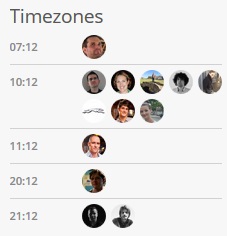
In my day-to-day work at Human Made, I’ll be working on both client work as well as products, such as happytables. In fact, I’ve already begun shipping code, and had my first deploy last week (along with my first broken deploy, and my first scramble-to-fix-the-fatal-errors). I also shipped a cool little timezone widget that shows exactly what time of day it is for the humans that compose Human Made:
I’m looking forward to seeing where this change takes me. If the first week is any indication, I definitely made the right choice.
Much has been written about the ability in WordPress to replace the authentication handlers. Essentially, this involves replacing WordPress’ built-in system of username and password combinations with a custom handler, such as Facebook Connect or LDAP.
However, basically nothing appears to have been written on the other side of authentication: replacing WordPress’ cookie-based authentication tokens. The process of authentication in WordPress is simple and looks something like this:
Check the client’s cookies – If we have valid cookies, skip to step 6
Redirect the user to the login page
Show the user a login form
Check the submitted data against the database
Issue cookies for the now-authenticated user
Proceed to the admin panel
The existing authenticate hook allows users to swap out step 4 reasonably easily, and existing hooks allow replacing steps 2 and 3. The problem, however, is swapping out cookies in steps 1 and 5.
There’s a few reasons you might want to swap out the existing cookie handling: you’re passing data over something that’s not HTTP (CLI interface, e.g.); you’re using a custom authentication method (OAuth, e.g.); or, as with anything in WordPress plugins, some far-out idea that I can’t even fathom. Any of these require swapping out cookies for your custom system, however there’s not quite any good way to do so.
The existing solution to this is to hook into something like plugins_loaded and check there, however this will occur on every request, even if you don’t actually need to be authenticated. This makes it hard to issue error responses (such as HTTP 401/403 codes) without also denying access to non-authenticated requests.1
The correct way to do this really would be to use a late-check system the same way WordPress itself does. All WordPress core functions eventually filter down to get_currentuserinfo()2, which in turn calls wp_validate_auth_cookie(). It’s worth mentioning at this point that all of is_user_logged_in(), wp_get_current_user() and get_currentuserinfo() contain a total of zero hooks. We get our first respite in wp_validate_auth_cookie() with the auth_cookie_malformed action, however setting a user here is then overridden straight afterwards by wp_set_current_user( 0 ).
This is less of an issue if you can detect whether a client is passing authentication, such as checking for existence of a header, but some naive clients send authentication headers with every request anyway. This happens to be the scenario I find myself in. [↩]
wp_get_current_user() e.g. calls it, is_user_logged_in() calls wp_get_current_user(), etc [↩]
Fifteen years ago, I started school. Seven years ago, I finished primary school and started high school. Three years ago, I finished school. And two years ago, I started university.
For me, attending university was a natural course of action. The question was always one of what I would study at university, not whether I would. In my last years at school, I stressed over this question, as most graduating high-schoolers do.
My choices became clearer to me as I came closer to the end of my degree. I decided that engineering was where my talents were.
In the meantime, I was approaching having spent nine years of my life writing software. Programming had always been something that I’d enjoyed, and I’d become relatively good at it. It was natural that I could take my talent and apply it to a career.
However, I didn’t.
I was afraid that doing something I loved as a career would cause me to eventually become sick of it, and that wasn’t something I wanted.
So I chose electrical engineering, in the hope that it’d be similar enough to what I’d done and enjoyed previously, but different enough to prove a challenge.
I’ve just completed the second year of my five-year degree. This year, I failed four subjects: three math subjects and an electrical engineering subject.
It’s not that I found the subjects particularly hard. They were challenging, certainly, but it wasn’t impossible to overcome that.
No, instead, it’s that I stopped caring. I stopped caring about my grades. I stopped caring about what I was learning. I just didn’t care.
For the most part, I’ve found my subjects to be quite similar to subjects at school. You put in enough effort, and you do well. The material you learn is sometimes interesting, but mostly you just learn it to learn it.
But I have noticed one important thing. The subjects that I care about the most, the subjects that I enjoy, and consequently, the subjects that I do best in are the computing systems subjects.
For me, the logical puzzles and strange syntax just click. When given problems to solve, it’s intuitive for me to look at them and immediately have the outline of a solution in my head. I can see the solution to problems before other people have worked out where to start.
I look at a problem and my immediate thought is to work out how to solve it. I love the challenge presented, and I love making things that solve it.
And yet, I continue studying the other subjects in the vain hope that I’ll learn to enjoy them just as much. Someday, I think to myself, it will start being enjoyable.
I’ve changed immensely in the past two years.
After leaving home, mainly for practical reasons, I’ve become a different person entirely. Although I love my parents immensely, I could never really become an adult until I’d moved out. I didn’t know this until after the fact, of course.
However, there was one significant part of me that didn’t change: my plan in life. Up until I left home, I’d stayed the course. I’d moved from school into university without a second thought, just because it never really occurred to me to do otherwise. I hadn’t really considered my choice, if you could even call it that.
But as I grew as a person, I realised that I needed to reevaluate. While continuing on the path had a familiarity to it, I couldn’t ignore the other possibilities staring me in the face.
I’ve always said to myself that I’d rather do something I loved and earn a pittance than do something I hated and be rich.
However, I don’t think I’d ever really thought about just what that means. It was a set of empty words to me, not something I truly lived my life by.
I think it’s time that I stopped repeating hollow phrases to myself and actually did something about it.
I’m dropping out of university to follow my passion.
It’s a decision that I should have made a long time ago, and I regret not making it earlier.
I still have concerns that I’ll end up hating what I do, but change is something I have to accept and deal with if it happens.
Maybe this is change for the worse, and I end up deciding this isn’t what I want to do. I’m okay with that now, because at least I will have tried.
But maybe, just maybe, this is the best decision I’ll make in a long time.
I’m now taking serious offers for full-time work. If you’re hiring a WordPress developer, or know someone who is, contact me at r@rotorised.com